Computer Literacy for Kids
Welcome to a curiosity-driven computer literacy curriculum designed for young learners.
This 18-week program is not focused on memorizing software or following rigid instructions. Instead, it helps children learn how to explore, create, think, and solve problems using a computer as a tool.
The goal is for students to develop technical confidence and independent problem-solving skills while building healthy habits around technology use.
By the end of the curriculum, students will understand not just how to use a computer — but how digital systems work and how to figure things out on their own.
For learners who are interested, the curriculum also includes optional 3D design (CAD) modules using TinkerCAD, allowing students to design simple objects and potentially turn their digital ideas into real-world physical creations through 3D printing.
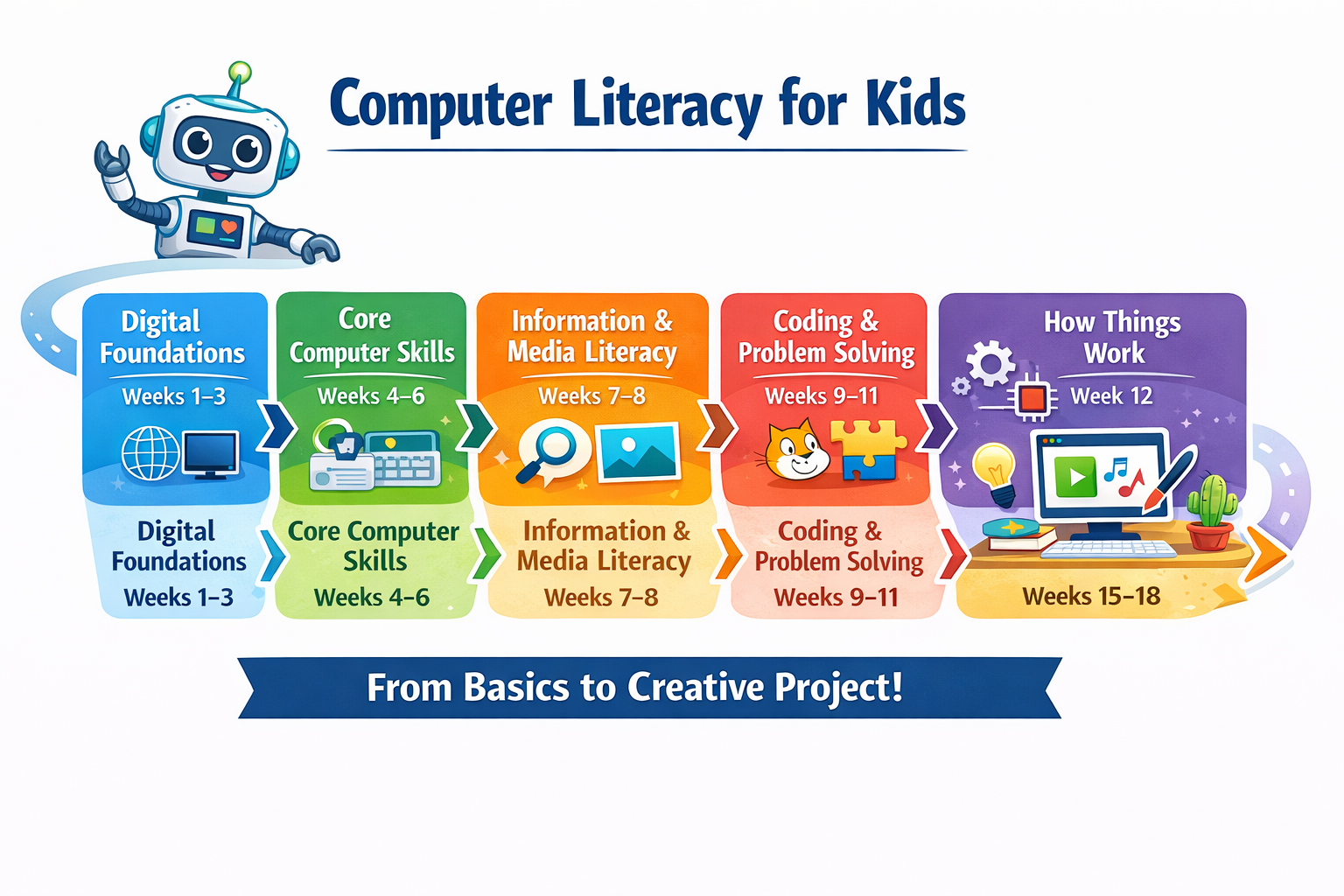
This visual roadmap gives facilitators and caregivers a quick big-picture view of how the curriculum progresses from digital foundations into creative project work.
- Start with The Big Idea for the course philosophy.
- Skim Course at a Glance to see the full program structure.
- Jump to What Each Week Includes for session format.
- Use Getting Started if you want the quickest path into the lessons.
- Visit Optional Extension for the CAD track.
- See How to Use This Curriculum for setup guidance and pacing tips.
- Check the Curriculum at a Glance for a one-page week-by-week summary.
- You do not need to read the full site in order. Start here, then move into the current week you are teaching.
- Each weekly page is designed to be skimmed quickly: review the caregiver snapshot, facilitate one session at a time, and come back later for the rest.
- This curriculum works in classrooms, homeschool settings, libraries, and after-school programs — anywhere an adult can guide a young learner through hands-on exploration.
- Use this page when you want the big-picture philosophy, not when you need minute-by-minute session directions.
- For setup guidance, see How to Use This Curriculum. For checklists and templates, see the Facilitator Toolkit.
The Big Idea
Many computer classes focus on step-by-step instructions for specific apps.
This curriculum takes a different approach.
Instead of teaching which buttons to press, we focus on helping students develop:
- curiosity
- creative confidence
- practical computer fluency
- problem solving
- safe internet judgment
- the ability to figure things out independently
At the same time, learners build real-world computer skills throughout the course — things like opening apps, managing files, using keyboard shortcuts, navigating a browser, and saving their work. These practical skills are woven into every unit, not bolted on as a separate track.
Computers are treated as tools for thinking and creating, not just devices for watching videos or playing games.
Students will use computers to write, draw, code, design, and build digital projects — and optionally even design 3D objects that can exist in the real world.
The Five Core Mental Models
Throughout the curriculum, students gradually develop five key ideas about how the digital world works.
1. Computers Respond to Inputs
Computers do not act on their own.
They respond to inputs like:
- typing on a keyboard
- clicking a mouse
- pressing buttons
- opening files
Understanding inputs and responses helps children begin thinking about computers like systems.
2. Digital Work Persists
Digital work does not disappear when an app closes.
Files can be:
- saved
- organized
- revisited
- improved later
Students build a Personal Project Folder where they keep things they create throughout the course — forming a digital portfolio that grows week by week.
3. The Internet Is Made of People
Websites, videos, games, and posts are created by people.
This means:
- someone made the content
- sometimes people want attention, views, or clicks
- sometimes information is wrong or misleading
- ads, clickbait, and fake buttons are designed to get your attention
Understanding this helps students develop judgment instead of fear when navigating the internet. The curriculum builds web literacy progressively, helping learners recognize common online tricks and evaluate whether information is trustworthy.
4. Systems Shape What We See
Search engines and video platforms use algorithms to recommend content.
Students learn to recognize things like:
- recommendation systems
- video rabbit holes
- how algorithms influence what appears next
This helps them make intentional choices instead of passively consuming content.
5. Creation Beats Consumption
Computers become far more interesting when you build things with them.
Throughout the curriculum students will create:
- drawings
- writing
- simple programs
- digital projects
- presentations
- videos
- 3D designs
For students exploring the optional CAD extension, those digital designs can even become physical objects using 3D printing, showing how ideas move from imagination to the real world.
The focus is on creative ownership, not passive screen time.
Course at a Glance
| Unit | Weeks | Topics |
|---|---|---|
| Digital Foundations | 1–4 | Internet basics, computers as systems, files & folders, typing |
| Creative Tools & Research | 5–8 | Writing, drawing, searching, evaluating sources |
| Coding & Logic | 9–11 | Programming concepts, Scratch, debugging |
| Systems & AI | 12–14 | How systems work, intro to AI, critical thinking |
| Final Project | 15–18 | Planning, building, revising, presenting |
Optional Extension
For learners interested in design and engineering, an optional CAD module introduces:
- 3D modeling using TinkerCAD
- spatial thinking
- digital object design
- preparing models for 3D printing
This extension allows students to experience an exciting idea:
Computers can be used not only to create digital things — but also to design real-world objects.
What Each Week Includes
Each week contains three short sessions designed to keep learning active and engaging.
Guided Session 1 (≈30 minutes)
Introduces a concept through exploration and conversation.
Students are encouraged to experiment and observe what happens.
Guided Session 2 (≈30 minutes)
Expands on the concept with a hands-on activity or small project.
Students begin applying what they discovered during the first session by comparing choices, testing ideas, and explaining their reasoning.
Independent Session (≈20 minutes)
A guided exploration session where the student practices skills or creates something new.
The goal is confidence, ownership, and thoughtful decision-making, not perfection.
How Learning Happens
Lessons are intentionally designed around guided exploration rather than rigid instructions.
Students are encouraged to:
- try things
- experiment
- ask questions
- notice patterns
- analyze what happened
- evaluate different options
- create improved versions of their work
Reflection questions help build awareness, such as:
- What surprised you?
- Why do you think the computer did that?
- What might happen if you tried something different?
These conversations help children begin developing the systems thinking and curiosity that strong problem solvers use.
Across the course, students are regularly asked to move beyond simple recall by explaining ideas, comparing results, justifying choices, and revising their work.
Assessment throughout the curriculum is observation-based and low-pressure — focused on what students can demonstrate through their work and conversations, not tests or grades. For more details, see the Assessment & Progress guide.
Getting Started
Begin with Week 1: Internet Basics & Digital Citizenship and progress through each week sequentially. For a complete setup guide — including pacing options, environment tips, and planning advice — see How to Use This Curriculum.
Each week builds on the previous one, gradually expanding the student’s understanding of computers, creativity, and digital systems.
Use the sidebar to navigate through the lessons.
Additional resources for facilitators:
- Curriculum at a Glance — one-page week-by-week summary
- Competency Map — what learners should be able to do at each stage
- Facilitator Toolkit — checklists, templates, and planning tools
- Glossary — key vocabulary for the curriculum
- Assessment & Progress — observation-based tracking and portfolio ideas
- Adaptations & Accessibility — tips for different learners and settings
- Digital Habits & Safety Reference — quick-reference safety guide
- Tool Alternatives — flexible software options for any platform
- Everyday Productivity Extensions — optional activities for slide decks, tables, and digital messages
- Final Project Rubric — evaluation guide for the final project
The Goal
By the end of the program, students should feel:
- confident using a computer
- comfortable exploring new tools
- capable of solving simple problems
- aware of how the internet works
- proud of things they created
The most important outcome is simple:
Students should feel like computers are tools they can understand, control, and create with.
And for some students, that creativity may even extend beyond the screen — into designing objects that can be built in the physical world.
Along the way, learners build a digital portfolio of their work — a collection of projects, reflections, and creations they can look back on with pride.